


Comments on: Verizon Treo 755p Update Released
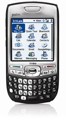 Palm has posted the first ROM update for the Treo 755p on Verizon. The update brings the device up to version 1.08. The update support page is pretty vague on specific details stating only:
This software update is a tune-up that improves the phone application, stability and device usability.
The update is only for use with a Verizon 755p. Palm Support says the update should take roughly around an hour to complete. The usual backups are recommended. Installers are available for all versions of Windows and a expansion card method is provided for Mac OS and other systems.


Article Comments
(11 comments)
The following comments are owned by whoever posted them. PalmInfocenter is not responsible for them in any way.
Please Login or register here to add your comments.


RE: YOU go first.....

Used the version that uses the USB cable (the one without card/reader) - avoided using the card. Backed up by syncing beforehand.
Followed instructions (seems there are multiple resets - at least 3-4 - where you have to enter language / tap to calibrate a few times. Took about 35 minutes to install the update plus call *228 Option 1 (told to do this) to reactivate phone.
Took about 10+ minutes to perform the initial HotSync to restore my previous files. Works fine so far. Can't really say what the stability issues are. Will see over time.
Free RAM - v 1.06 (before): 61MB
Free RAM - v 1.08 (after): 60.9MB - seems most of increase in file called CarrierCustomizat... (is 432K now - didn't track this but I think it was in the 300'sK before).
Chris Kim
RE: YOU go first.....
RE: YOU go first.....
All my bluetooth functions continue to work fine after the update was installed.
I do notice a greater lag when switching between apps, but I have to say the phone seems more stable overall. One nagging problem before the update was that it would turn on with the power button, but pressing the middle button didn't disable the keyguard. This happened if I didn't reset my phone for a day or two. I had to install a soft reset program and use frequently. AFter the update, the keyguard seems to work fine.
I also use the Centro version of VersaMail (though not recommended by Palm) and it seems to work more smoothly too.

RE: Blagh
Sorry, couldn't help myself.
http://tinyurl.com/2ooncg
RE: Blagh
Sorry, couldn't resist...
APIs
RE: APIs
But they *WON'T*.
Because they don't *WANT* to.
Palm will likely be looking to streamling everything and be aggressively pushing a 4-device strategy from here on:
Centro CDMA
Centro GSM
800w CDMA
850 GSM
Owners of any other Palm device--any older WM Treo, any POS Treo, any "me too" rebranded Treos such as the Treo 500 or the Wanda & any legacy Palm OS handhelds-are going to be left behind in the dust, as far as support/upgrades etc.
Pilot 1000->Pilot 5000->PalmPilot Pro->IIIe->Vx->m505->T|T->T|T2->T|C->T|T3->T|T5->Zodiac 2->TX->Verizon Treo 700P->Verizon Treo 755p
successful 1.08 update
Dan


Latest Comments
- I got one -Tuckermaclain
- RE: Don't we have this already? -Tuckermaclain
- RE: Palm brand will return in 2018, with devices built by TCL -richf
- RE: Palm brand will return in 2018, with devices built by TCL -dmitrygr
- Palm phone on HDblog -palmato
- Palm PVG100 -hgoldner
- RE: Like Deja Vu -PacManFoo
- Like Deja Vu -T_W


YOU go first.....
Note that the Palm page warns that if using a SD card, only a MINI SD should be used -- installs from a Micro SD through an adapter have been problematic.
I'd also like to know how much RAM is left after the update (as opposed to before).
Harold