


Comments on: Acrobat Reader for the Palm Beta Released
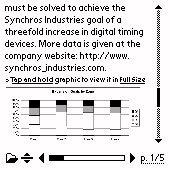 Adobe has made Acrobat Reader for the Palm OS immediately available as a free public beta. The product allows users to view files in the ubiquitous Adobe PDF format. It is capable of displaying both text and images and preserves the rich content of files - styled text, images, and bookmarks - and adapts it for viewing on small screens. Users can also search for a specific word or phrase. It includes a desktop application that converts the PDFs for viewing on the Palm and the Palm OS viewer application that lives on the handheld.


Article Comments
(26 comments)
The following comments are owned by whoever posted them. PalmInfocenter is not responsible for them in any way.
Please Login or register here to add your comments.
 Comments Closed
This article is no longer accepting new comments.

RE: FYI
Thanks for pointing everyone to the right direction!
PalmPlan
RE: FYI
To get the reader, you need the corrected link:
ftp://ftp.adobe.com/pub/adobe/acrobatreader/win/palmos/beta/acrreadpalmosbeta.exe
(file name begins with one a, not two.)
about time
say Palm SDK companion on Palm ....
cool !
DocumentsToGo
Not that great
RE: Not that great
RE: Not that great
RE: Not that great
RE: Not that great
1. Capable of being carried or moved about.
2. Usable on many computers without modification.
This link to Adobe's website explains their definition of PDF formatting:
http://www.adobe.com/products/acrobat/adobepdf.html
It doesn't mention anything about being able to carry it around wherever you go. It states "Adobe PDF is a universal file format that preserves all of the fonts, formatting, colors, and graphics of any source document, regardless of the application and platform used to create it."
Yes, I agree that it sucks that the files get much bigger but that is the consequences of making the file portable (the first definition) while still being portable (the second definition). :)
RE: Not that great
That's ridiculous and you know it! Adobe has a couple options for making this happen:
1) loading the REAL PDF file into the Palm (with a .pdb extension, presumably) and having the reader simply render the file the best it can (resizing images and showing them in grayscale on non-color devices) and other such reformatting. This would maintain the exact file size as the original, AND make it truly portable by being able to be loaded into a new computer and viewed by the desktop program with no changes.
2) keeping all the information from the original PDF file, and ADDING the information the Palm program needs to render the files. Even if it copied and reduced all the images to screen size and color depth, duplicated the entire text of the document with new formatting tags for the Palm format, there's no possible explanation for tripling the size of the document.
I was hoping to check the site this morning to find people stating that the tripling must have been a mistake, because it doesn't happen when they do it. Instead, I find a bunch of apathetic doorknobs who are telling everyone to just bend over and take it. To you I say, you're ignorant and insane.
The whole point of putting converting something to Palm format is to make it EVEN MORE portable. I should need to clear 1000k on my device just to view a PDF that's only 300k on my desktop. If that's REALLY what's happening, then Adobe royally F-ed up on this one. They usually make good stuff (Photoshop!) but this really bites. I'm not even going to waste my time trying it out until someone reports the FACT that it either reduces the file size, or at least does not noticeably increase it.
Puh-lease.
.exe ?
RE: .exe ?
RE: .exe ?
Where's AvantGo 4.0?
I'm not complaining since its free software, just wondering if anyone has an update.
Thanks!
File Sizes
Docs2Go does PDF
Get the Add-On from www.dataviz.com.
RE: Docs2Go does PDF
Here is a list of some documents I've tried:
34k contract = 36k on the Palm
120k event proposal = 15k on the Palm
24k specification document = 22k on the Palm
20k letter = 16k on the Palm
142k user guide = 11k on the Palm
283k graphical fact sheet = 8k on the Palm
1174k US 2002 Federal budget = 1131k on the Palm
Also, if you use DataViz Mail, it puts PDF email attachments on your Palm automatically.
And, it is available for Mac as well as Windows.
busted link
-mike-


Latest Comments
- I got one -Tuckermaclain
- RE: Don't we have this already? -Tuckermaclain
- RE: Palm brand will return in 2018, with devices built by TCL -richf
- RE: Palm brand will return in 2018, with devices built by TCL -dmitrygr
- Palm phone on HDblog -palmato
- Palm PVG100 -hgoldner
- RE: Like Deja Vu -PacManFoo
- Like Deja Vu -T_W


FYI