


Palm LifeDrive Podacast & Videocast Tutorial
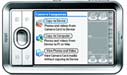 This tutorial will show you how subscribe to podcasts and get videos delivered automatically on your palmOne LifeDrive each time you synchronize your LifeDrive (review).
 Permalink
 Print
PrintArticle Comments
(6 comments)
The following comments are owned by whoever posted them. PalmInfocenter is not responsible for them in any way.
Please Login or register here to add your comments.


RE: Non-lifedrives as well..

Skeezix, the v4.1.2 beta of ShadowPlan works great. (It was a shocked when I discovered that I couldn't switch off the graphical button bar, but it's growing on me!). Keep up the great work.

not so great....
bottom line here. Its real easy, buy quicknews, install conduit, Go!
next...
I'm sure things were easier before they became more simple
Tungsten T, Lexar 256Mb, Mac G4Ti OSX
RE: not so great....
jeff
The Shadow knows!
this works great
congratulations to ipodder and the TCPMP player developer (though I do not have any divx to try).
My goal is to be able to play divx on the lefedrive without conversion....


Latest Comments
- I got one -Tuckermaclain
- RE: Don't we have this already? -Tuckermaclain
- RE: Palm brand will return in 2018, with devices built by TCL -richf
- RE: Palm brand will return in 2018, with devices built by TCL -dmitrygr
- Palm phone on HDblog -palmato
- Palm PVG100 -hgoldner
- RE: Like Deja Vu -PacManFoo
- Like Deja Vu -T_W


Non-lifedrives as well..
(Now, I know, everyone will want a tutorial ;)
jeff
The Shadow knows!