


Adobe Reader v3 Released
Adobe has released Adobe Reader for Palm OS, version 3.0, a free software that allows users to read, navigate and print Adobe Portable Document Format (PDF) files. The latest version adds support for viewing additional Adobe PDF content, such as photographs and eBooks with added DRM security, and adds the ability to print over a wireless network.
 "By continuing to extend the product's capabilities and the efficacy of PDF, Adobe is providing greater value to our corporate and consumer customers" said Larry Berkin, director of developer marketing for PalmSource, Inc.
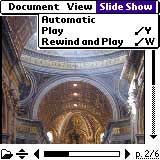
The new version extends beyond pdf documents to include Photoshop® Album slide shows and eBooks with added Adobe Digital Rights Management security. In addition, the latest version now provides the capability to print PDF files wirelessly over the Internet using Electronics for Imaging, Inc.'s (EFI) PrintMe™ network. The EFI® PrintMe network allows users to print to enabled printers and fax machines from handhelds without requiring cables, print drivers or a complex network setup.
Adobe PDF files created using the Acrobat 6.0 product line, Adobe InDesign® 2.0, Adobe PageMaker® 7.0, and Adobe FrameMaker® 7.0 will offer a better reading experience on Palm Powered devices than files created using earlier versions of Acrobat because they are automatically tagged with information on the document structure and organization. This allows for easier and more reliable text re-flow on the smaller device.
Adobe Reader for Palm OS is freely available for Mac OS X and windows desktops and required Palm OS v3.5 or higher.
 Permalink
 Print
PrintArticle Comments
(28 comments)
The following comments are owned by whoever posted them. PalmInfocenter is not responsible for them in any way.
Please Login or register here to add your comments.
 Comments Closed
This article is no longer accepting new comments.

RE: version 3??
----
Forty Six and 2 are just ahead of me
RE: version 3??
_____________________________________________
"Why should I care about posterity? What's posterity ever done for me?" - Groucho Marx
RE: version 3??
Yeah - its kinda silly maybe, but i find it annoying to have a hi-res device and see a low-res icon in the launcher (hey adobe - do you want me to send you a hi-res bitmap of yr icon along with the 2 step instructions on how to add it to yr app?). It's especially annoying when it is a major app vendor like adobe AND their app is included with the tungsten (at least the T|T - dont know about T|C or T|W). But the icon is the least of the problems: where's the high-res support in the damned app? Why so s-l-o-w? OK - im not so critical of the lack of native pdf support - Acrobat is a big bloated, slow, resource hogging beast even on a newer desktop. But if its not going to have native pdf support, and instead rely on 'conversion' - then we should definitely get the benefit of much better performance as a result of this 'dumbing down' of the pdf format through conversion.
WebClipping Software
Ken
DRM Security...feature?
This is stated like it DRM (Digital Right Management) is always a user benefiting feature. Perhaps. But, it's just as likely somewhere between an annoyance and what should be an illegal restrain on innocent personal fair use. Perhaps not. But, "DRM security" does not scream "feature" to me.
RE: DRM Security...feature?
Somehow I doubt you bought too many protected eBooks.
_____
Fammy
Too slow to be of any value
Turning the client into feature-rich bloatware completely misses the boat. I have uninstalled the client and will not reinstall until Adobe addresses the real missing feature – being able to cycle through pages in near real time.
RE: Too slow to be of any value
RE: Too slow to be of any value
RepliGo is a better product
RE: RepliGo is a better product
RE: RepliGo is a better product
Picsel: Don't know what you're agreement is with Sony, but please, please release Viewer for the rest of us.
RE: RepliGo is a better product
Try Reding PDF files with iSilo
You can see how I do it in my article at:
http://rickyspears.com/articles/convert_pdf_for_isilo.html
or
http://makeashorterlink.com/?Y51F52AB4
Thanks,
Ricky
------------------------
The stylus is mightier than the pen!
Picsel.
Adobe isn't really doing the Palm platform a favour by releasing sub-standard software, when it's obviously possible to create something decent.
-James.
Adobe ebooks
RE: Adobe ebooks
What publishers have decided not to support our (Palm Digital Media) format? I'm not aware of any major publishers, at least.
Lee
RE: Adobe ebooks
There are very few selection of technical books. Try McGrawHill books for one example.
How about say, the Self-Teaching Guide series.
And even publishers that support PalmReader, like Cliff Notes... what about Cliff's QuickReview Series of books?
Some of these are important to me, some, not so much --- but probably important to some others.
I really really dislike Adobe's DRM system. If Peanutpress/Palmdigitalmedia can get more technical books available, I'll be very very happy. BTW, I have bought probably almost 30 books from Peanutpress thus far... I am fairly happy, but I think the software can use some updates: highlighting, comments, etc... would be good --- and try to keep that purchase price for PalmReader Pro down :). I noticed an increase of a few bucks.
Would not even install on Tungsten C
I am using the latest Palm desktop.
Version 4.1 that came with the Tungsten C.
Nice programming -- NOT!
-Chris
RE: Would not even install on Tungsten C
However, having read the entire page of negative reviews, I am going
to delete Adobe Reader version 3 without another thought.
RE: Would not even install on Tungsten C
RE: Would not even install on Tungsten C
has been changed from its default to something else.
A work-around is described below. Please try this and
let me know if it doesn't work for you.
1. Start the "Palm Desktop" application on your PC
2. Select the "Tools" menu "Options" menu item to get a dialog.
3. Select the "General" tab; in the "Data Directory" item, change the data directory (back) to the directory that contains the "Palm.exe" file. (This is usually "c:\Program Files\palm" or "c:\program files\handspring").
(If you didn't change your data directory or it already has 'palm.exe' in it, then your problem was something else.)
4. Now install Adobe Reader for Palm OS 3.0
5. Now you can change your data directory back to its previous value.
Note that when you change your data directory in the palm desktop application, it actually moves all of your palm desktop files. It is a good idea to hotsync first before doing this action.
Can't Delete Adobe v3 without a Hard Reset
Anyway, when I opted to delete program I realized that there must have been another part.
There was , the print .prc file at 84kb. You cannot delete this. In the end I did a hard reset.
How to make faster!
Lucan
News Release/Buggy
What a joke..
T3 Full Screen pdf files?


Latest Comments
- I got one -Tuckermaclain
- RE: Don't we have this already? -Tuckermaclain
- RE: Palm brand will return in 2018, with devices built by TCL -richf
- RE: Palm brand will return in 2018, with devices built by TCL -dmitrygr
- Palm phone on HDblog -palmato
- Palm PVG100 -hgoldner
- RE: Like Deja Vu -PacManFoo
- Like Deja Vu -T_W


version 3??