


Palm Large SD Card Compatibility
Palm has released a new report on SD card compatibility with Palm handhelds and smartphones. The results explain which devices are compatible with 1 and 2GB size MMC and SD cards.
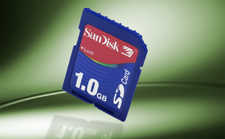 Palm reports that tests of 2GB SD cards show that they are compatible with the Treo 600, 650, Tungsten T5, Zire 72 and the LifeDrive.
It also shows that 1GB SD and MMC cards work with the Tungsten E2, T3, T2, T, Zire 71, 31 and previous devices. Larger cards may or may not work with these models. They may cause unexpected behavior or not work in these devices.
Thanks to hkklife for the tip.
Related Links
 Permalink
 Print
PrintArticle Comments
(73 comments)
The following comments are owned by whoever posted them. PalmInfocenter is not responsible for them in any way.
Please Login or register here to add your comments.



RE: Hacked drivers from LifeDrive can also help

The update is available at palm web site, for the Tungsten E models,
http://www.palm.com/us/support/downloads/tungstene/sdioupdate.html
That will solve the 2 Gb SD problem.
You have the mmc update file to your E Tungsten available here : http://www.palm.com/us/support/downloads/tungstene/sdioupdate.html
That will probably fix the 2 Gb problem. Jan

Incomplete testing?
RE: Incomplete testing?
I know Palm are out to ship units and make money - but to be honest, I know my T3 is happy running every 2GB SD card I've ever been able to try - so funny Palm aren't too keen to publish (or even admit testing) such results!
So sorry Palm, I will continue to battle on with my T3!
KultiVator
T3 + TomTom Navigator 5 + Belkin TuneCast II
(Why does Palm make it so hard to buy separate GPS car mounts?)
2GB SD card on a T3?
RE: Incomplete testing?
Check out www.MobileRead.com for some great mobile computing info!
How 'bout on the Treo 90?
Can anyone comment
-Ryan
RE: Can anyone comment
RE: Can anyone comment
I agree that as a common courtesy, Palm should release a FAT32 driver (beta/unsupported would be fine) for ALL OS 5.x devices. Or at least all of the ones running OS 5.2.x onwards. that aren't on the list.
IIRC from older/earlier threads, the 2gb Sandisks are a bit easier for older Palms to stomach than the Ultra II high speed ones.
RE: Can anyone comment
Online Database of SD Card Benchmark Results
http://tinyurl.com/chtwx
Audacity Card Speed Testing Utility Version 1.2
http://www.audiost.com/vfst.htm
VFSMark 1.0
http://tinyurl.com/bjtuy
RE: Can anyone comment
hkklife indicates using a 2GB card with a T5. But the T5's on Palm's approved list, meaning I believe that its version of the OS contains a FAT32 (and not FAT [16]) driver.
I have a T3 and bought a 2 GB card from Dell before I'd ever heard of this problem. The T3 of course is not supposed to be supported. I initially put the card into the T3 - "do you want to format". Click OK. Then "card not recognized". Hmmph. Looked around the Web and learned of this problem/limitation.
I don't have a working card at the moment, but that's because (as best I could determine) there were bad blocks on my first card and I'm waiting on an exchange.
Although I did have it working, after a fashion (and with FAT not FAT32) previously.
FAT has 16 bit pointers. That means it can point to 65,536 _objects_ (not necessarily bytes). It finally occured to me that in fact SD cards may be addressing (at the first level) clusters and not bytes.
2^16 (pointers) * 32K cluster size (2^15) = 2 GB. You don't seem to be able to get at varying cluster sizes on an SD card from the Windows File Explorer's Format (right-clicking on the card). It gives you only 'default allocation size'.
I have XP Pro (don't know if this is available in 'plain' XP or ME or whatever). On XP Pro, if you go into Computer Mgmt | Disk Mgmt, you can indicate both FAT (as opposed to FAT32) and you have a choice of cluster sizes up to 64K. 32K will waste less space than 64K and adds up exactly to 2 GB (per the above).
So I reformatted in this fashion and when I stuck the card in my T3, no complaint and it recognized it as containing something like 1.89 GB (which if one uses the equation here: http://en.wikipedia.org/wiki/Gigabyte seems OK to me).
Copied over 450 MB from my old 512 MB card (using a card reader). Then tried transferring a copy of Wikipedia (one file) at 1 GB. Failed several times.
Then I remembered. In the Format dialog, I'd clicked 'Quick Format' which, I guessed didn't check for bad blocks (clusters).
So let's do the format again and do it right, checking for bad blocks. Every format failed. Sometimes they just aborted; other times they would format half the card and then return seemingly indicating success.
Came to the conclusion that my method was probably OK but this was an early 2GB card (bought last April) and given the high infant mortality of next-gen capacities, I probably had some bad memory. Called Dell and they agreed to do an exchange (even though I was well out of the 30 days or whatever).
I'll get a new card back from Dell; will go through my procedure; and I imagine it'll work.
But would be curious to see what others get using the above.
pat
RE: Can anyone comment
I'm curious on your follow-up with your replacement 2GB card; once reformatted to FAT/32K cluster, did it read/write properly? I have a 4 GB card I'd like to use, and your method (external formatting of card vice altering PDA's OS) is by far the most appealing I've seen posted.
-Mark
PS I've got the Media version of Windows XP, can't find Computer Mgmt listed, and the formatting options default to FAT32/Default allocation size when I used the normal format option - guess I'll have to track down someone with XP Pro if this method works.
map
RE: Can anyone comment
FAT32 Driver
1. Copy it to your SD card.
2. Put in the card and open up FileZ
3. Copy the FAT32 driver into the ram.
4. Change the Creator and Type IDs to match the FATFS.PRC .
5. Once you have changed everything rename the FAT32.PRC to FATFS.PRC and reset your Palm.
6. Viola you know have a working FAT32 sdio slot. Format your 4gb SD card and your Palm should read it.
NOTE!!!: If you hard reset your PDA, then you will lose the FAT32 driver. I recommend you carry around two SD cards. One with your backup and normal stuff, another with FileZ and the Fat32 driver already configured. Copy it over and restore your Palm.
The world will end in 2006. Just as it was predicted in the bible along with the release of Microsoft Longhorn.... :p
RE: FAT32 Driver
I have been using a T3 with a 2Gig card, mainly fine, but found some issues. I am not sure if this hack has 'taken' or not. It hasn't solved all of my issues yet though...
Specifically having trouble syncing SplashPhoto.
Al
RE: FAT32 Driver
Treo 650
Zire 72
Tungsten T5
RE: FAT32 Driver
I'm having trouble trying to follow Frenchies instructions as I'm trying a 2GB card to work on my Palm Tungsten T2.
My palm can read the card size but not format it or read any information that I can get on it (although I can't hotsync stuff to it either).
I'm a Palm beginner coz I managed copy the file onto my card via a SD card reader/writer but then I don't seem to be able to do anything else with it (file z???)? I don't have access to the files and I do think I managed to hotsync the driver into the ram but again can't get into it - am I doing something wrong or am I just an idiot??
Thanking you in advance for your help.
RE: FAT32 Driver - simplified instructions:
2. Put in the card and open up FileZ [a freeware file manager program you need to install onto your Palm. http://www.freewarepalm.com/utilities/filez.shtml]
3. Copy the FAT32 driver into the RAM.
4. Change the Creator and Type IDs to match the FATFS.PRC . [Open up FileZ. Chose "View and Edit Files". Tap the arrow beside "Internal". Scroll down to the file called "FATFS". Tap on it and then tap on the "details" button. Under the "General" tab find the CASE SENSITIVE! Creator and Type IDs for this file. Write them down. Then find the FAT32 file using FileZ in the same way and change the Creator and Type IDs to match what you wrote down.]
5. Once you have changed everything rename the FAT32.PRC to FATFS.PRC [using FileZ to change the Name on the same tab that you found the Creator and Type IDs] and reset your Palm.
6. Viola you know have a working FAT32 sdio slot. Format your 4gb SD card and your Palm should read it.
--------------------------------------------------------------------
If you don't understand these instructions, don't mess around with your Palm with FileZ - you might end up fcuking things up.
I.M.
------------------------
Sony CLIE UX100: 128 MB real RAM, OLED screen. All the PDA anyone really ever wanted.
------------------------
The Palm eCONomy = Communism™
The Great Palm Swindle: http://www.palminfocenter.com/comment_view.asp?ID=7864#108038
NetFrontLinux - the next major cellphone OS?: http://www.palminfocenter.com/comment_view.asp?ID=8060#111823
RE: FAT32 Driver
Any suggestions?
RE: FAT32 Driver - Palm's (non)support is inexcusable.
TVoR
------------------------
Sony CLIE UX100: 128 MB real RAM, OLED screen. All the PDA anyone really ever wanted.
------------------------
The Palm eCONomy = Communism™
The Great Palm Swindle: http://www.palminfocenter.com/comment_view.asp?ID=7864#108038
NetFrontLinux - the next major cellphone OS?: http://www.palminfocenter.com/comment_view.asp?ID=8060#111823
RE: FAT32 Driver
Please help me
RE: FAT32 Driver
RE: FAT32 Driver
Does the FAT Livedrive patch allow writing on the 2GB card in the T3?
RE: FAT32 Driver
RE: FAT32 Driver
Is there anybody who knows what I can do? You help is appreciated very much. Thanks, regards, Hanne
Unfortunately my device does not boot anymore. The screen constantly displays screen with the 'Palm Powered" logo with a 2/3 pixel black horizontal line blinking in the top of the screen all the time. My T5 does not respond to any buttons or screen touches, neither can I turn it off. Soft resets don't work, a hard reset results in the T5 rebooting. At first I get a white screen with the red-yellow PalmOne logo, the black status bar in the bottom of the screen loads completly after which I get into the formerly described grey screen again.
RE: FAT32 Driver
Sorry man. If you can find a way to access the T5 bootloader you may be able to fix it (provided you can find a copy of a standard T5 ROM), but I'm a Treo boy so couldn't tell you where to find such information.
Tim
I apologise for any and all emoticons that appear in my posts. You may shoot them on sight.
Treo 270 ---> Treo 650
RE: FAT32 Driver
1) Reset your PDA while pressing the PAGE UP button. Then delete the new file + install the old driver.
or
2) Remove the PDA's battery + leave it out overnight. Put the battery back in and see what happens.
TVoR
RE: FAT32 Driver
Concerning your simplified instructions. You say to rename the FAT32.PRC to FATFS.PRC. Using FileZ, the extensions are not shown. When I look at the FATFS.PRC file, the name appears FATFS. Should I type the full name "FATFS.PRC" in the name of the FAT32.PRC file? Do I need to delete the original FATFS.PRC file?
Thank you
RE: FAT32 Driver
I got the same black blinking line at the top of the screen and no boot after all.
Suddenly appears bright horizontal lines all over the screen and it stands white at the end.
RE: FAT32 Driver
Has anyone else ever tried this for an E2? Have any suggestions?!? I'm dying to get some memory on this thing....
RE: FAT32 Driver
RE: Imagine a 2GB Flash RAM Treo
RE: Imagine a 2GB Flash RAM Treo
I am imagining it all the time. Personally speaking, after having my T5 adn enjoying the copious RAM, the 32 in my 600 seems a bit weak. I'd like a GB internally split just like the T5 does it (but with a larger amount of heap space for the larger websites.
mobileministrymagazine.com
antoinerjwright.com
RE: Imagine a 2GB Flash RAM Treo
You'd think a Treo-especially when they get around to adding EVDO support-would really be the beneficiary of larger amount of heap.
RE: Imagine a 2GB Flash RAM Treo
I did buy a 1GB card right away, so I would also appreciate an option to purchase 'onboard' memory at the original time of purchase. I also do not tend to swap cards, ever. In fact, the case (skin) that I am using covers the card slot.

 Only the first 50 comments are displayed within the article.
Click here for the full story discussion page...


Latest Comments
- I got one -Tuckermaclain
- RE: Don't we have this already? -Tuckermaclain
- RE: Palm brand will return in 2018, with devices built by TCL -richf
- RE: Palm brand will return in 2018, with devices built by TCL -dmitrygr
- Palm phone on HDblog -palmato
- Palm PVG100 -hgoldner
- RE: Like Deja Vu -PacManFoo
- Like Deja Vu -T_W


Hacked drivers from LifeDrive can also help
TVoR
------------------------
Sony CLIE UX100: 128 MB real RAM, OLED screen. All the PDA anyone really ever wanted.
------------------------
The Palm eCONomy = Communism™
The Great Palm Swindle: http://www.palminfocenter.com/comment_view.asp?ID=7864#108038
How PalmSource is REALLY doing: http://www.palminfocenter.com/comment_view.asp?ID=8026#110958