


Picsel Proviewer Now Available
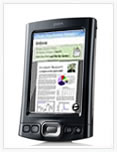 Picsel Proviewer, a document viewing application that was previously only available for Sony Clie models, is now available for Palm OS devices. The application is a rich documents viewer that supports many image formats, native Microsoft Office files, html and PDF files. This is the first time the company has made this software available directly to end users.
The Proviewer solution, which allows users to seamlessly interact with content rich documents, is the first in a series of ‘Pro’ best-of-breed solutions which the company plans to deliver to customers, offering an unrivalled user experience across the smartphone and handheld device after-market.
The Proviewer application supports native Microsoft Word, Excel and Powerpoint, Adobe PDF, Plain text and Image files. The solution incorporates Pan and Zoom functionality which makes viewing content on the small screen a pleasurable experience, allowing users to access content rich documents in an identical manner to how they appear on a PC.
 Imran Khand, Picsel’s CEO, said: “Picsel prides itself on delivering the best mobile user experience in the mobile market and in launching this solution straight to consumers we’re offering our industry leading products to an even wider audience. We want to deliver an exciting user experience, to create a consumer community where customers can look forward to seeing new applications coming to the market which will feature never before seen user interface functionality.”
Picsel Proviewer retails for $29.99. There currently is no demo version at this time.
 Permalink
 Print
PrintArticle Comments
(19 comments)
The following comments are owned by whoever posted them. PalmInfocenter is not responsible for them in any way.
Please Login or register here to add your comments.


Strange...

Odd as odd can be!
If a trial was available, I could work out whether I could live with whatever issue it is holds them back from supporting the T|3.
Weird that they're cutting themselves out of such a large chunk of the market.
KultiVator
RE: No demo, no try, no buy
RE: No demo, no try, no buy
it seems they want to make it a big succes.
probably done like that on purpose
"Do you know the difference between an error and a mistake? Anyone can make an error, but that error doesn't become a mistake until you refuse to correct it."
-Grand Admiral Thrawn
the secret to enjoying your job is to have a hobby that's even worse
My PDAs: Visor --> Visor Neo (blue) --> Zire 71 --> Tungsten T3 (with 4 of 6 screws still remaining) ~?~> zodiac 2?
RE: No demo, no try, no buy
-Ryan

They're kidding, right?
I'm really not all that familiar with the product, but it seems to me that currently included software on my TX, plus the addition of the freeware PalmPDF will do all the tasks this will.
But I'll never know for sure with no demo.
Best document viewer experience on Treo 650
RE: Best document viewer experience on Treo 650
"For Use With English Language Devices Only"
RE: Best document viewer experience on Treo 650
I think this app needs way more testing & shaking out before it's ready for primetime competition with DTG.
Pilot 1000-->Pilot 5000-->PalmPilot Pro-->IIIe-->Vx-->m505-->T|T-->T|T2-->T|C-->T|T3-->T|T5-->TX
RE: Best document viewer experience on Treo 650
I do love the new accounts that seem to pop up on the day of a software release with nothing but glowing marketing speak for the product.
Not suspicious at all, nope.
~~~~~~~~~~~~~~~~~~~~~~
Eagles may soar but at least weasles don't get sucked into jet engines.
suspicious minds
I looked into your claim here. The poster says he's from switzerland and his IP confirms that. Looks like it is his genuine opinion. I'm always on the watch for spam and faux marketing hype and will remove it if I come across any.
-Ryan
RE: Best document viewer experience on Treo 650
RE: Best document viewer experience on Treo 650
Though at that price, it'll have to really amaze me and blow away PalmPDF (as well as DTG- which wouldn't be hard).
Picsel Viewer Was Truly Amazing on the Clie
The loss of that software was one of the big reservations I had when I finally upgraded (or downgraded) from the Clie to a TX last week. PalmPDF lets me see pdf's on the TX, but the image quality and speed are nowhere near as good as Picsel on my old, much slower UX-50.
I wish I could trial it on the TX before dropping that kind of coin.
Sharp 16KB Organizer, US Robotics Palm Pilot 1000, Palm III, Palm IIIx, Palm V, Palm Vx, Palm M505, Sony Clie NR-70, Palm Tungsten 3, Compaq iPaq 3955 (for kicks), Sony Clie UX-50
RE: Picsel Viewer Was Truly Amazing on the Clie
Will sure be nice to have some choice (at last) of PDF viewer on Palm. It wasn't that long ago that the official and very shoddy Adobe Acrobat Mobile, was the only option on (non-Sony) Palm devices. Unless you were prepared to perform a conversion and go with the rather clever Repligo software from Cerience.
KultiVator
DocsToGo, QuickOffice, MobiSystems Office et al against that
to be honest, I use MobiSystems Office very much on my T3. Ok, agreed, it lags in landscape mode(so bad that it crashes when I type really fast with an external keyboard), but its sopreadsheet and word file modules really do a great, and I mean freaking great job at showing files! Truetype fonts, tables, images in tables, cell borders, everything.
DocsToGo on the other side is more of a "creators" application. No lags, no nothing, but also rather few features.
The question is: where will PicselViewer fit in, knowing that it lacks a document editing possibility. Won't people prefer to go with PalmPDF+MobiSystems Office(costs roughly the same AFAIK)???
BTW; a nice review is here
http://tamspalm.tamoggemon.com/2005/10/23/mobileoffice-7-professional-review/
Best regards
Tam Hanna
Find out more about the Palm OS in my blog:
http://tamspalm.tamoggemon.com
Proviewer doesn't work with the Palm TX
Proviewer simply doesn't work with my Palm TX. Although the device has 55M internal memory and 1,848M external memory, every time I attempt to load a PDF ranging in size from 650K to 2.2M, I get a "Proviewer: Close document? Memory is full" error message. I've tried running it from internal and external memory.
Text documents of around 250K loaded, but any scrolling or zooming renders them unintelligible.
I should have looked at the Picsel forum first. There are complaints about similar problems that have gone unanswered. The Picsel support inquiry form is ridiculous: it allows approximately 100 characters to state your problem.
Proviewer may have potential, but right now it simly isn't ready for the market.
Jerry


Latest Comments
- I got one -Tuckermaclain
- RE: Don't we have this already? -Tuckermaclain
- RE: Palm brand will return in 2018, with devices built by TCL -richf
- RE: Palm brand will return in 2018, with devices built by TCL -dmitrygr
- Palm phone on HDblog -palmato
- Palm PVG100 -hgoldner
- RE: Like Deja Vu -PacManFoo
- Like Deja Vu -T_W


No demo, no try, no buy