


Dataviz Releases Documents To Go Version 7
DataViz has announced that Documents To Go Premium Edition Version 7 is now available. With the addition of native Microsoft PowerPoint support, Documents To Go Premium Edition now offers native file support for all the core Microsoft Office document file types - Word, Excel and PowerPoint - as well as JPEG and BMP picture files.
"With the addition of native PowerPoint file support for both Mac and Windows users, Documents To Go is truly an unsurpassed office suite," said Ken Wirt, senior vice president worldwide marketing at palmOne. "Now palmOne handheld and smartphone users have excellent flexibility in working with their Office documents; they can synchronize contracts from the desktop, get the latest numbers sent to them via e-mail, or browse to a network folder to wirelessly retrieve a presentation."
In addition to native PowerPoint, JPEG, and BMP support, new features include a new handheld user interface, support for displaying Chinese, Russian, and Greek character sets, and integration between word processing documents and wireless browsers and e-mail applications. Documents To Go Premium Edition Version 7 is also the first version of Documents To Go that allows Mac users to use PowerPoint files on the handheld.
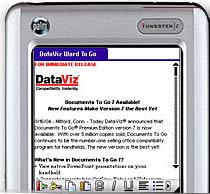 Before native document support, the Documents To Go desktop application converted Microsoft Office files to a special handheld format that Documents To Go could open. Then the files were synchronized to the handheld. With native support, transferring and opening files is even easier, so no desktop application or pre-processing of files is required.
Several new features are offered in Documents To Go Premium Edition Version 7. These include:
-- Native PowerPoint support: Documents To Go Premium Edition Version 7 is the first and only Palm OS Office suite to support presentation Outline, Notes and Slide views natively. Receive native PowerPoint files via e-mail, Bluetooth, IR beaming or expansion cards and view them in Documents To Go with confidence. Documents To Go also supports PowerPoint for the Mac.
-- Native picture support: Pictures taken with built-in cameras are automatically displayed inside the Documents To Go application for easy viewing and e-mailing.
-- Completely new handheld user interface: The interface has been redesigned to streamline access to commonly used features such as Save, Sort, character formatting, alignment, and more. In addition, full screen support hides toolbars and menus to maximize the data onscreen.
-- Support for additional character sets: View Traditional Chinese*, Simplified Chinese*, Russian** and Greek** characters in word processing and spreadsheet documents.
-- Web and e-mail client integration: Web links and e-mail addresses in word processing documents are now integrated with the most popular handheld web browsers and e-mail applications.
-- Includes FilePoint Wireless software from Bachmann Software Inc: Wirelessly retrieve your documents from a shared desktop or network folder.
Documents To Go Premium Edition Version 7 is available now for download [BUY] and will be available by September 1 in office supply and computer retailers such as Staples, CompUSA, and Office Depot, as well as from online sites such as Amazon, Handango, and PalmGear. The suggested retail price is $49.99.
Upgrade pricing of $29.99 is available for all previous Documents To Go customers, including customers who received Documents To Go as bundled software with palmOne, Sony CLIE, or AlphaSmart handhelds.
 Permalink
 Print
PrintArticle Comments
(18 comments)
The following comments are owned by whoever posted them. PalmInfocenter is not responsible for them in any way.
Please Login or register here to add your comments.
 Comments Closed
This article is no longer accepting new comments.

RE: $how me the Munny
RE: $how me the Munny
V7 sounds good to me; I find I'm using PowerPoint more and more with Docs to Go 5 -- almost as much as I use Word to Go -- so native support maybe make life much easier. Version 6 didn't excite me so I didn't cough up the cash, but version 7 is mighty tempting.
RE: $how me the Munny
Very nice user interface change, but not worth the $29.00 upgrade unless you use powerpoint. which I don't. Oh, well, it's good for the industry.
RE: $how me the Munny
By all counts, based on my personal speculation, the scuttlebut on the 'net and a source that I talked to a while back, the T4's going to ship with a very strong software bundle--building on what the T3 did last year. PalmOne's learned the lesson when the T|T shipped and hardly any mjaor apps were OS5 compliant and then again when the T3 shipped and little other than the bundled software could take advantage of the screen. I'll guess that we'll be pretty happy right out of the box starting in October (at least as far as the bundle's concerned).
I'll personally stick with DtG 6 until I see what the finalized T4 bundle is going to be.
RE: $how me the Munny
D2G is a great useful app, but as someone posted earlier, software vendors get a "success tax" when their product get's well refined, and they have to resort to making ".x" upgrades look like "x." upgrades to keep from laying off the staff etc.
I have a PC Bible program that is in it's 3rd Windows iteration now. The 2nd "upgrade" was absolutely horribly non-intuitive & massively bloated, so I resorted back to my previous, more-efficient version. Now they have another "all-new" release. I'm not about to throw "good $ after bad". Although new "products/references" are of course non-compatible with previous versions. Seriously, how many different ways can their possibly be to reference static information? Not many, but if "x." changes are not made then the corporate party is over. So I look for another all-new upgrade soon. I just hope Windows "Longhorn", "Foghorn", "Leghorn", or whatever they call it is backward compatible with my oldie version when I have to ante' up for it. :-)
Pat Horne; www.churchoflivingfaith.com
Not for OS4
Guess I'll just wait to get it free once I buy a wifi palm.
Marc Mac
Palm 100>Palm 105>Sony SJ33
RE: $how me the Munny
[signature0]the secret to enjoying your job is to have a hobby that's even worse[/signature0]
[signature1]My PDAs: Visor --> Visor Neo (blue) --> Zire 71.... so ends the "marathon", for now[/signature1]
And OpenOffice support?
And what about something simpler: RTF?
I thought that D2G would allow me to use the simple RTF docs that virtually all source prettyprinting programs generate, being RTF a known standard. But no luck; I must convert all of them to full Word documents. Then, D2G opens them slowly and darkens colors until they are almost undistinguishable from black. And Word documents have margins, so long lines get wrapped.
But that's the only option available for the Palm OS...
RE: And what about something simpler: RTF?
Looks like a moonlighting opportunity for you. Then again that other headline says PalmGear will get all your profits anyway. Sorry.
That is strange how d2g does not support that. Common most everywhere, tho I must admit I have no use for it.
Pat Horne; www.churchoflivingfaith.com
RE: And what about something simpler: RTF?
Fixed my pet peeve with V6
RE: Fixed my pet peeve with V6
Pat Horne; www.churchoflivingfaith.com
RE: Fixed my pet peeve with V6
Your mind resembles the wings of an Ostrich, It enables you to Run, though NOT to Soar! -- Thomas Babington, Lord Macaulay
Actually pretty good
For example,
-The toolbar is completely customizable.
-The interface is consistent across all applications. It just seems "tighter" and "cleaner".
-It has a funky "circle wipe" animation when transitioning from the main screen to each app. It's novel.
-Native handling of Word, Excel, and PowerPoint docs is stellar. I typically use Repligo to view PowerPoint documents, but Slideshow To Go may prove a worthy competitor.
-Plus a few other niceties.
As always, I am frustrated by the upgrade cost, but it certainly is more palatable than the my infuriating experiences with the constant upgrade costs of Quick Office.
Is the upgrade worth the cost? I don't know yet, but it certainly leaves me with a good feeling after using it for a couple hours...
"Chinese support" and other disappointments
But, what I find EXCEEDINGLY IRRITATING is that there is no easy way to uninstall this demo version so I can revert to my bundled version 5. Oh, yes, their documentation says that I can uninstall it through the "add-remove" menu in Windows control panel, but Docs To Go simply isn't there in the list of programs. A trip to the website to get a little help has me jumping through hoops like having to find my registration number in the desktop program that no longer has a registration number because I have installed the demo of version 7. C'mon guys, just write an "uninstall.exe" so that when your installation system fails to work properly with Windows we can still get rid of your program.


Latest Comments
- I got one -Tuckermaclain
- RE: Don't we have this already? -Tuckermaclain
- RE: Palm brand will return in 2018, with devices built by TCL -richf
- RE: Palm brand will return in 2018, with devices built by TCL -dmitrygr
- Palm phone on HDblog -palmato
- Palm PVG100 -hgoldner
- RE: Like Deja Vu -PacManFoo
- Like Deja Vu -T_W


$how me the Munny
Pat Horne; www.churchoflivingfaith.com