


Butler 4.71 Released with New Sliding Keyguard
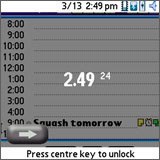 Hobbyist Software has released a new update to its über-popular Butler application. Butler is a feature rich Treo/Centro smartphone utility that gives you extended control over a number of options and adds some useful additional tools and utilities. It includes mp3 alarms, customized alerts, remote sms security lock and data wipe, button customization and volume key control, an expanded keyguard, LED control and many other features. This new version has a new transparent sliding keyguard function that allows you to swipe your finger to unlock the device.
Butler v4.71 comes with a free trial and costs $14.95 to register.
Thanks to PalmAddicts for the tip.
 Permalink
 Print
PrintArticle Comments
(3 comments)
The following comments are owned by whoever posted them. PalmInfocenter is not responsible for them in any way.
Please Login or register here to add your comments.


RE: Wow.


Very cool
I get a kick out of having the option of getting a little "iPhone" feel from the phone once in a while. But I always go back to just hitting the center button to unlock. It's just so much easier.
But hey, nothing wrong with copping a feel from the iPhone interface just for kicks! LOL
Great job, Butler people!


Latest Comments
- I got one -Tuckermaclain
- RE: Don't we have this already? -Tuckermaclain
- RE: Palm brand will return in 2018, with devices built by TCL -richf
- RE: Palm brand will return in 2018, with devices built by TCL -dmitrygr
- Palm phone on HDblog -palmato
- Palm PVG100 -hgoldner
- RE: Like Deja Vu -PacManFoo
- Like Deja Vu -T_W


Wow.
http://www.palminfocenter.com/news/7854/iphonelike-keyguard-released-for-palm-os/
LOL!!
http://tinyurl.com/39h3eg